Wedding Guest Photo Sharing Without an App: How It Works
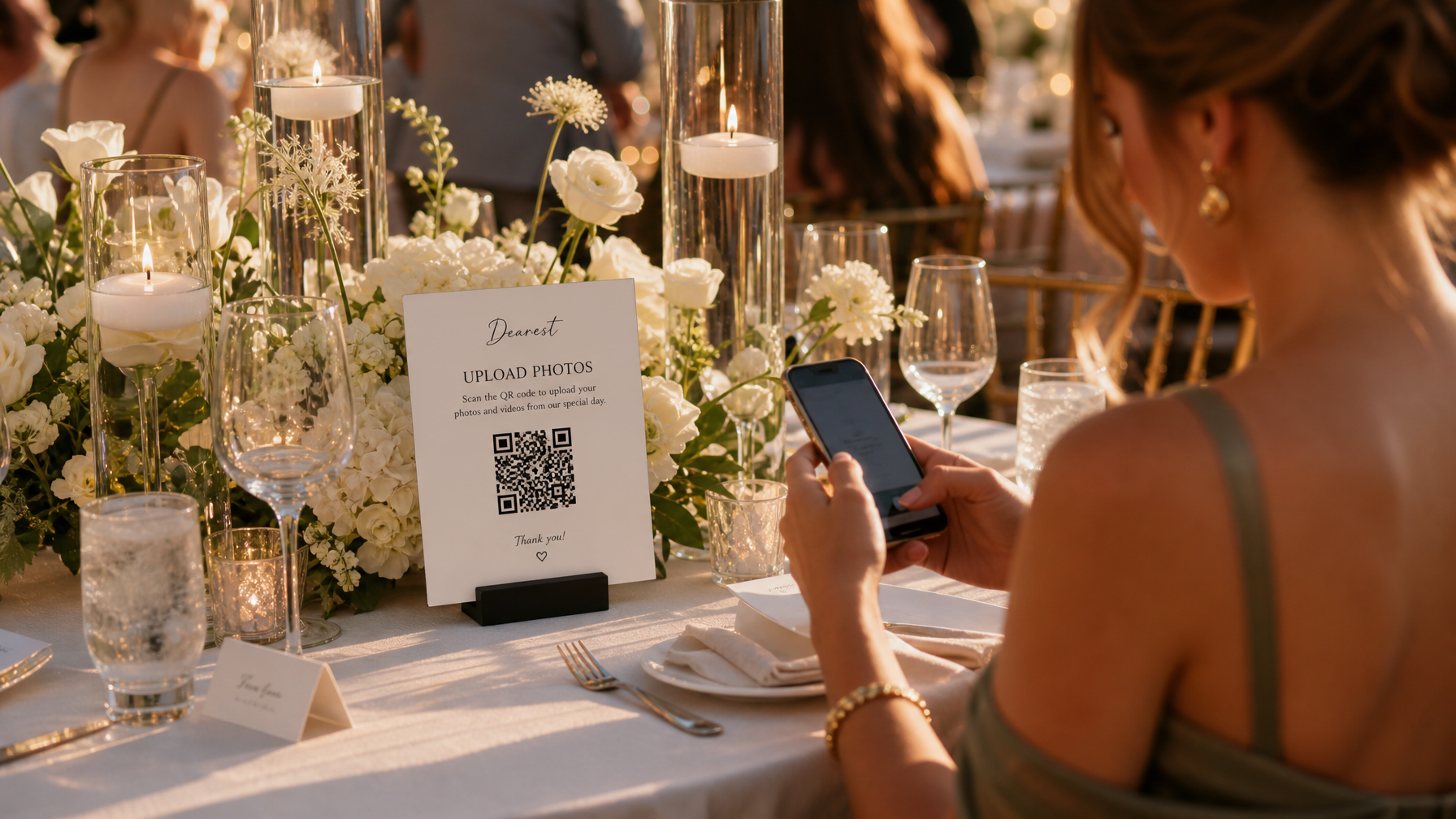
Dearest makes photo sharing seamless & private for guests.
Wedding guest photo sharing is how you collect every candid your photographer cannot be in two places for. One QR code opens a private upload page, guests add photos and videos from their phones, and everything lands in one gallery you control. No app, no account, no group text chase.
TLDR: Put a wedding picture QR code where guests already gather. Guests scan and upload in their browser. You keep a private gallery for 12 months, with downloads, slideshow, and keepsake options.
What wedding guest photo sharing means
Your photographer covers the planned moments. Your 120 guests cover everything else: getting ready laughs, dance floor chaos, table toasts, the dog in a bow tie. Wedding guest photo sharing gives those photos one home.
With Dearest, that home is a private gallery, not a public feed. Uploads stay private until you choose what to share.
What guests do (it takes seconds)
- Open their phone camera
- Scan your wedding picture QR code
- Add photos, videos, and a short note in their browser
- Go back to the party
No download. No login wall at cocktail hour. If your 80 year old relative can take a photo, they can contribute.
What you get after the wedding
- One private gallery with every guest upload in one place
- Photos, videos, and guest notes tied together
- High resolution downloads and search, including facial search
- A slideshow set to music for family or brunch
- Optional organized Google Drive delivery
- Optional photo book proof (fee credited if you order the book)
Your QR stays active for 3 months of uploads. Your gallery stays available for 12 months.
Private gallery vs live feed
Some tools show every upload on a live screen during the reception. That can be fun, but many couples prefer privacy during the event.
Dearest holds uploads in your private gallery. You decide when to open it, who sees it, and what goes in the slideshow. For a full comparison of platforms, see our comparison of wedding photo sharing options guide.
Where to place your QR code
Put the code where hands and eyes already go:
- Welcome sign and escort card table
- Each reception table as a small takeaway card
- Bar and dessert table
- Lounge or photo moment backdrop
- Wedding website footer
- Welcome bags and day after brunch table
For setup help, see how to create a QR code for a shared photo album.
Google Photos vs a wedding photo sharing service
Google Photos works for a tiny, tech comfortable list. It gets harder with 100 plus guests, mixed phones, and Google sign ins.
A wedding photo sharing service adds an event shaped flow, guest messages, presentation, and keepsake paths. See our apps breakdown in best wedding photo sharing apps.
Real weekend proof
At Lorna's 50th birthday weekend, one QR code collected photos and videos from the whole group into one private gallery. Same idea works for weddings: one code, every angle, no chasing texts after the honeymoon. More non wedding ideas are in Beyond Wedding Photo Sharing.
FAQ
Do guests need to download an app?
No. Guests upload in their phone browser after scanning.
Can guests upload video?
Yes. Short clips and toasts upload alongside photos.
How long does the QR stay active?
The QR collects uploads for 3 months. The private gallery stays available for 12 months.
Will this replace my photographer?
No. Your photographer documents with intention. Guest collection captures the angles one shooter cannot cover.
What does Dearest cost?
The Signature Celebration Collection starts at $50. Explore Dearest packages to find your fit.
Ready to collect every angle? Start with the Signature Celebration Collection.
Kathy and the Dearest team