Best QR Code Photo Sharing Platforms for Wedding Guests
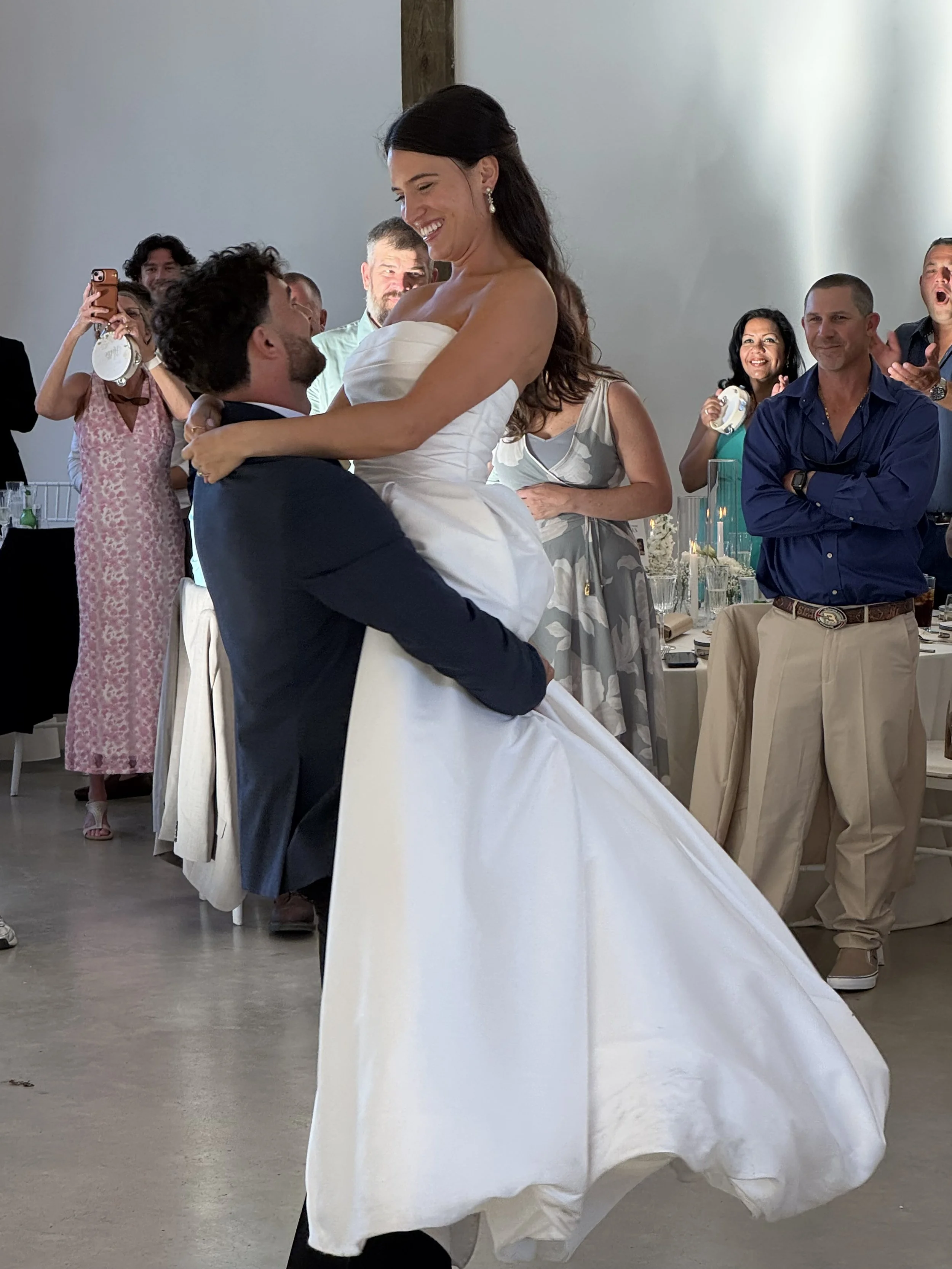
Isabella and Luke- Married April 2026
This is a real couple and a real photo captured at Isabella and Luke’s wedding reception.
Thank you to Isabella and Luke for allowing us to share your beautiful photos.
Description
Compare the best QR code for wedding pictures in 2026. See how no-app wedding photo sharing services stack up on privacy, price, and guest ease so you pick a private gallery guests actually use.
Best QR code for wedding pictures (2026): no-app platforms compared
Last updated: August 2, 2026 Author: Kathy Ecke, Dearest
TLDR
The best QR code for wedding pictures is the one guests will actually scan: no app, no account, private gallery, unlimited uploads. DIY Google Photos can work for a tiny guest list. A purpose-built wedding photo sharing service wins when you want privacy during the party, clean organization after, and keepsakes later. Dearest starts at $50, keeps your QR open for 3 months of uploads, and keeps your private gallery available for 12 months.
If you are searching for the best QR code for wedding pictures, you are usually weeks (or days) from the wedding and tired of half-answers. Your photographer will cover the big moments. Your guests will catch the rest: the dance floor chaos, the grandma tears, the dog in a bow tie. The job is getting those photos out of 120 camera rolls and into one place you control.
A wedding photo sharing QR code is simply a printed or digital code that opens an upload page on a phone browser. Guests scan, add photos and videos, and move on. No scavenger hunt through group chats after the honeymoon.
Not every option deserves the label "best." Some force app downloads. Some feel like a public dump. Some are free until you hit a cap. Below is a clear way to choose, a fair comparison, and where Dearest fits if you want a polished private gallery without asking anyone to install anything.
What "best QR code for wedding pictures" actually means
Skip vague marketing. Score any option on six practical tests:
- Guest friction: Can your 80-year-old relative upload without an app or password reset?
- App requirement: App-required tools lose participation. Every. Single. Time.
- Privacy during the event: Are photos live on a feed guests scroll mid-toast, or held in a private gallery until you choose to share?
- Upload window: Can people add photos from the rehearsal through a few weeks after the wedding?
- After the party: Downloads, search, slideshow, optional photo book, backup delivery.
- Price clarity: One clear price beats surprise tiers the week of the wedding.
Those tests separate a real wedding photo sharing service from a shared folder with a QR sticker.
Quick comparison: popular ways couples collect guest photos
Facts below reflect how these tools are commonly used by couples (browser QR upload vs app-first vs DIY). Always double-check live pricing on each vendor site before you buy.
| Option | App for guests? | Typical guest path | Privacy posture | Keepsakes / gallery polish | Rough cost pattern | Best when |
|---|---|---|---|---|---|---|
| Dearest | No | Scan QR → browser upload photos, videos, notes | Private gallery (not a live public feed) | Curated gallery, slideshow, AI/facial search, optional photo book proof, optional Google Drive delivery | Signature Celebration from $50 | You want elegant, private, no-app collection plus long-term memory tools |
| GuestPix | No (web-based) | QR / link to guest upload site | Private event album style | Digital guest book style collection | Paid tiers (see vendor) | You want a known QR guest-photo brand |
| Wedibox | No app required for upload | QR to private gallery | Private gallery positioning | Unlimited-style marketing on vendor site | Free-to-start / paid plans (see vendor) | You want a QR-first competitor to trial |
| DIY Google Photos + QR | Google account friction for many guests | QR to shared album link | Shared album; guests often need Google sign-in | Folder of files, not a wedding gallery | Free | Tiny tech-comfortable guest list and zero budget |
| Classic "download our app" guest apps | Yes | Install → create account → find event | Varies | Varies | Free–paid | You accept lower participation for app features |
Sources couples still debate in public threads: r/weddingplanning on guest upload apps, The Knot on QR codes for wedding pictures, vendor feature pages such as Wedibox wedding photo sharing and GuestPix weddings.
When Google Photos is enough (honest take)
Google Photos can be "good enough" if:
- Your guest list is small and almost everyone already lives in Google.
- You only need a shared dump of files, not a keepsake gallery.
- You are fine troubleshooting login walls at the cocktail hour.
It is a weaker fit if you want a true best wedding photo sharing QR code experience: no login drama, private-by-design presentation, guest notes tied to memories, and a path to a photo book. For a deeper split, read Shared Photo Album Google vs Dearest.
Dearest as a wedding photo sharing service (how it works)
Dearest is built as a wedding photo sharing service, not a social app.
You get:
- A custom QR code and shareable link
- A customizable upload form for photos, videos, and guest sentiments
- Unlimited guests, photos, and videos on the Signature path
- A private gallery designed for viewing, downloading, and memory keeping
- QR collection window of 3 months
- Private gallery access for 12 months
- Optional organized Google Drive delivery
- Optional photo book proof (proof fee credited if you order the finished book)
- AI-assisted search and facial recognition inside the gallery
- Slideshow set to music
- Access to elegant signage template options
Guests do:
- Open the camera on their phone
- Scan your QR code for wedding photos
- Upload and go back to the party
No app store. No "create an account to continue."
Start here: Signature Celebration Collection
Real couple note
Isabella and Luke (married April 2026) used Dearest so reception candids landed in one private gallery instead of a maze of texts. That is the bar: real photos from real phones, one calm place after the weekend.
Fall wedding final-touch placement checklist
August and early fall are when programs, escort cards, and signage lock. Put the code where hands and eyes already go:
- Escort card table or welcome sign
- Each reception table (small takeaway card)
- Bar or signature drink station
- Dessert / cake table
- Lounge or photo-moment backdrop
- Welcome bags for out-of-town guests
- Wedding website footer (link + optional QR image)
- Day-after brunch table (catch the people who "meant to upload later")
For more placement ideas, see Ideas for using QR codes for photos.
How to choose in under 10 minutes
- Write your must-haves: no app, private gallery, video support, budget ceiling.
- Kill any tool that requires a guest app if participation matters.
- Open the guest upload flow on your phone in incognito. If you hesitate, guests will too.
- Confirm upload window and gallery length in writing.
- Decide if you want a folder of files or a gallery you will reopen on your anniversary.
- Order signage early enough to proof spellings and print quality.
If you also want a broader app roundup, use 8 best wedding photo sharing apps (2026) as the companion guide. This page stays focused on QR code for wedding pictures and platform fit.
FAQ: best wedding photo sharing QR code
What is the best QR code for wedding pictures?
The best option is a no-app QR that opens a private upload page, accepts photos and videos, and stores everything in a gallery you control. Dearest is built for that job starting at $50.
Do guests need to download an app?
They should not. App installs crush participation. Prefer browser upload after a camera scan.
Is a QR code for wedding photos secure and private?
With a private service, uploads go to your event gallery rather than a public social feed. You choose when and how to share. Dearest is private by design.
How is this different from Google Photos?
Google Photos is a general shared album. A wedding photo sharing service adds event-shaped upload flow, guest messages, presentation, and keepsake paths without treating your reception like a shared drive.
How long does a Dearest QR code stay active?
The QR stays active for 3 months of collecting uploads. The private gallery remains available for 12 months.
Can guests upload video?
Yes. Short dance clips and speeches matter as much as stills.
Where should I display the wedding picture QR code?
Tables, bar, cake, welcome signage, and the wedding website. Multiple touchpoints beat one hidden easel in a corner.
Will this replace my photographer?
No. Your photographer documents the day with intention. Guest QR collection captures angles and moments no single shooter can stand in for.
What does Dearest cost?
The Signature Celebration Collection starts at $50. Optional add-ons include photo book proof and Google Drive delivery.
Bottom line
If you want the best QR code for wedding pictures for a real guest list, optimize for participation and privacy, not feature trivia. No app. Clear price. Private gallery. Room for photos, videos, and notes. Dearest is the option we built for couples who care how the memories feel months later, not only whether files arrived.