A practical guide to choosing a QR code photo collection package for a wedding, birthday, or other celebration.
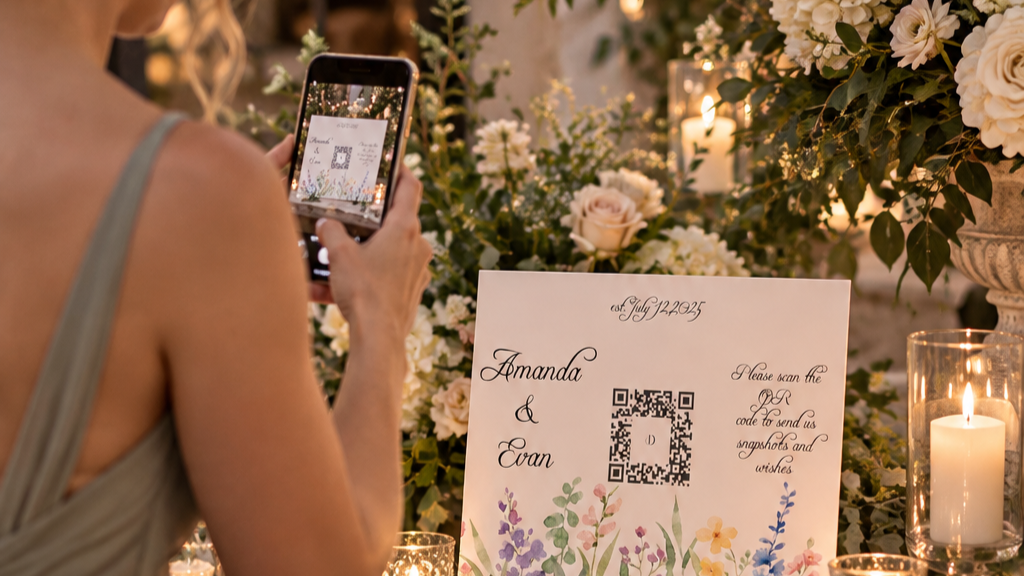
A guest at a wedding scanning a Dearest QR code with her phone to upload photos.
A QR code for pictures gives guests a simple way to share the moments they capture at your celebration. They scan a code, upload photos and videos from their phones, and you have a place to collect them afterward.
Before you choose a service, it helps to decide what you want to do with those memories. Do you simply want the files delivered to you? Would you like a gallery you can share? Or do you want guest messages and a slideshow alongside the pictures?
Here’s how to choose an option that fits your event and your budget.
At a glance
- For simple photo and video collection: Dearest’s Photo and Video Upload Package is $25 and delivers files through Google Drive.
- For a simple gallery add-on: Add a gallery for $20 to the $25 package. Photos are collected in one album, without guest sentiments, with six months of gallery access from the event date.
- For a gallery with more features: The Signature Celebration Collection starts at $50 and includes guest sentiments, a slideshow, and 12 months of gallery access.
What does a QR code for pictures do?
A photo upload QR code opens a page where guests can submit pictures and videos from their phones. You can display the code at your event and share the upload link with people afterward.
With Dearest, guests do not need to download an app or create an account to upload. That makes it a practical option for weddings, birthdays, anniversaries, and other celebrations where people of different ages may want to contribute.
The QR code is for uploading photos and videos. What happens after guests upload depends on the package you choose.
Start with the $25 Photo and Video Upload Package
If your main goal is to gather the pictures and videos your guests take, the $25 Photo and Video Upload Package is a straightforward place to start.
You receive a custom QR code and a shareable upload link for your event. As guests submit their photos and videos, the files are organized and delivered through Google Drive.
The purchaser has access to the Drive folder for six months from the event date. After that period, the Drive files are deleted, so download your memories before access ends.
Drive access is granted to the purchaser. If you want to share those files with friends or family, download them first and create a folder to share.
Your upload window is separate from your Drive access. You can choose a timeframe from two weeks before your event up to three months afterward.
Add a simple gallery for $20
If you choose the $25 package and also want a gallery, you can add one for $20, for a total of $45.
The add-on collects your photos in one album and provides six months of gallery access from the event date. It does not include guest sentiments, so it suits hosts who want a simple place to view their pictures without the additional features of the Signature Collection.
Choose Signature when you want photos and guest messages
If you’re comparing options for your wedding, explore our guide to QR codes for wedding pictures and no-app photo sharing.
Some celebrations call for more than a collection of files. You may also want to preserve the notes guests leave, revisit a slideshow, or share a gallery with family and friends.
The Signature Celebration Collection starts at $50. It includes:
- A custom QR code and shareable upload link
- Photo and video uploads, plus guest sentiments
- A digital gallery with search and facial recognition features
- High-resolution downloads and a slideshow set to music
- 12 months of gallery access
The host can share the gallery with people they choose. The host and guests with access can download the photos and videos directly from the gallery.
Gallery access and the upload window are different. The gallery is available for 12 months, while the upload window can extend up to three months after your event. The gallery is deleted after its access period ends, so download your memories before then.
How to choose a custom QR code for your celebration
Use these questions to narrow your choice:
Do you want files, a gallery, or both?
If you mainly want the original photo and video files delivered to you, start with the $25 Drive package. If you also want photos collected in a simple album, consider the $20 gallery add-on.
If guest sentiments, a slideshow, and a gallery with search features matter to you, look at Signature.
Who will share the photos?
With the $25 Drive package, the purchaser downloads the files before sharing them. With Signature, the host can share the gallery, and people with access can download directly.
How long do you want access?
The $25 Drive files are available for six months from the event date. The optional $20 gallery also provides six months of access from the event date. Signature includes 12 months of gallery access. Plan to download your files before the relevant access period ends.
What do you want guests to contribute?
Both the $25 package and Signature collect photos and videos. Signature also includes guest sentiments. The optional single-album gallery add-on does not include guest sentiments.
Where can you use a QR code for photos?
A custom QR code can help at many kinds of events:
- Weddings: Collect the photos guests take at the reception, on the dance floor, and during the moments between formal portraits.
- Milestone birthdays: Gather candid pictures and videos from dinner, cake, and the celebration.
- Family gatherings: Give relatives one place to send the photos they take throughout the day.
- Anniversaries and showers: Collect the small details and reactions you may not see while you host.
For more ideas about where to display your code, read Ideas for Using QR Codes for Photos at Weddings and Celebrations.
Frequently asked questions
Can guests upload without an app?
Yes. Guests can use their phone browser to upload photos and videos through a Dearest QR code or shareable link. They do not need to download an app or create an account.
Can I create a custom QR code for my event?
Yes. After you purchase a Dearest package and provide your customization details, Dearest provides a QR code and upload link for your event.
How much does a QR code for pictures cost?
Dearest’s Photo and Video Upload Package starts at $25. You can add a single-album gallery for $20. The Signature Celebration Collection starts at $50.
Can I share the photos with my guests?
Yes. With the $25 Drive package, the purchaser downloads the files first and can then create a folder to share. With Signature, the host can share the gallery, and guests with access can download from it directly.
Can guests send videos too?
Yes. Both the Photo and Video Upload Package and Signature accept photo and video uploads.
Choose the way you want to keep your memories
Your photographer captures the moments you planned for. Your guests often see another side of the celebration: the conversations, the reactions, and the moments between.
Choose the package that fits what you want to keep and how you want to share it. Explore Dearest’s packages, starting at $25.
Kathy and the Dearest team