Wedding Photo QR Code for Guests: The Complete Guide to Collecting Every Memory
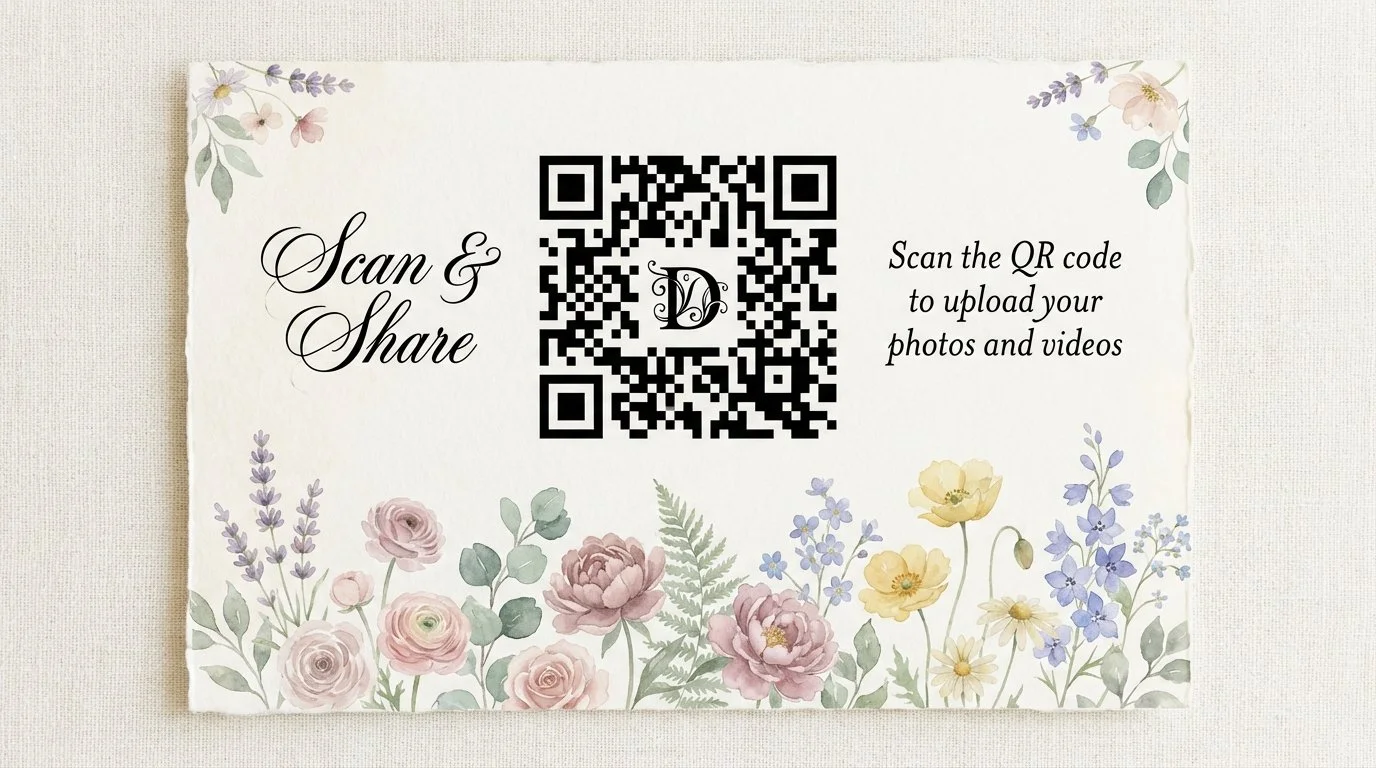
Wedding Photo QR Codes for Guests
Don’t let them intimidate you! Having a QR code to gather photos and videos from your guests just might be the best decision you make for your wedding!
A wedding photo QR code for guests is a scannable code you display at your reception. Guests open their phone camera, scan it, and upload photos directly to your private gallery — no app, no login, no friction. You control when the gallery goes live, and every upload includes a personal note from the guest. This guide covers exactly how it works, where to display it, and what features to look for so you collect every memory from your wedding day.
Table of Contents
What Is a Wedding Photo QR Code?
How It Works: Step by Step
Why You Need More Than a Shared Google Drive
Where to Display Your QR Code at the Wedding
Do Guests Need to Download an App?
What to Look for in a Wedding QR Code Photo Service
The Dearest Signature Celebration Collection
Frequently Asked Questions
What Is a Wedding Photo QR Code?
A wedding photo QR code for guests is a scannable code — placed at your reception, ceremony, or both — that opens a private digital gallery where guests upload photos and videos directly from their phones.
Think of it as your own personal photo-sharing hub. Instead of chasing down your Aunt Linda two weeks later for the candid from the first dance, every guest's best shots land in one private gallery in real time.
The couple controls when the gallery goes live, which means you experience the memories together — not scattered across a dozen different texts and Google Drive links.
How It Works: Step by Step
Step 1: Purchase your package and receive your QR code. Once you set up your event, you receive a private QR code and a shareable link unique to your wedding.
New to album QR codes? Start with how to create a QR code for a shared photo album.
Step 2: Display the QR code at your event. Print it on table signs, display it on a welcome sign, include it in your ceremony program, or place it at the bar. The more visible it is, the more photos you collect.
Step 3: Guests scan and upload. Any guest with a smartphone opens their camera, scans the code, and lands directly on your branded event form — no app download required. They enter their name, a short personal note, and upload their photos or videos.
Step 4: Your private gallery builds in real time. Every upload goes directly into your gallery. The gallery stays private until you decide to share it, so you relive the day fresh — on your own timeline.
Step 5: Download, print, and cherish. Access your high-resolution gallery for 12 months, download everything, order museum-quality prints or a lay-flat album, and share your downloadable slideshow set to music.
Why You Need More Than a Shared Google Drive
A shared Google Drive folder can work. But here is what it cannot do:
Keep photos private until you choose to share. A shared Google album is visible to everyone the moment they join. With Dearest, your gallery stays locked until you open it. Your guests upload without seeing everyone else's shots, and you experience the full reveal together.
Search by face. Dearest's gallery uses AI-powered facial recognition so you can find every photo where you or your partner appears in seconds — across hundreds of uploads.
Capture guest sentiments. Google Drive holds files. Dearest holds memories. Each upload includes a personal note or message from the guest, turning your gallery into a keepsake rather than just a folder.
Create a music slideshow. Dearest compiles your photos into a downloadable slideshow set to music, ready to embed on your website or share with family.
Offer museum-quality keepsakes. From lay-flat albums to matted prints and print boxes, Dearest's gallery store lets you turn digital uploads into physical heirlooms.
Requires no Google account. Not every guest uses Gmail. Dearest requires no sign-in, no account creation, and no app — just a camera and a scan.
Where to Display Your QR Code at the Wedding
Reception Tables — A small tent card at each table gives guests something to interact with between courses. Add a short line like "Scan to share your favorite moment with us."
Welcome Sign at the Entrance — A large welcome sign lets guests know from the moment they arrive that photo sharing is part of the experience.
Ceremony Programs — Include the QR code on the back so guests have it in hand before the day even begins.
The Bar — People are relaxed, phones are out, and the mood is warm. A small card at the bar is one of the highest-traffic placements at any reception.
Photo Booth or Styled Backdrop — Guests already in photo mode are the most likely to scan and upload. Place the code directly on or next to the booth.
Signage templates are available in the Dearest Etsy shop, with all profits donated to VOW for Girls.
Do Guests Need to Download an App?
No. Guests open their phone camera, scan the code, and the upload form opens directly in their browser. No app store visit, no account creation, no login. This matters because:
Older guests and less tech-savvy family members can participate without confusion.
Guests on older phones or limited data plans are not blocked by a large app download.
The scan-to-upload flow takes under 60 seconds, which means more guests actually do it.
The simpler the process, the more photos you end up with on one of the most important days of your life.
What to Look for in a Wedding QR Code Photo Service
Privacy Controls — Look for a service that keeps the gallery private until the host decides to share it.
No App Required for Guests — Any friction in the guest experience means fewer uploads. App-free is the standard to insist on.
AI Search and Facial Recognition — With hundreds of photos from dozens of guests, finding specific people quickly is a genuine time-saver.
Guest Sentiments and Messages — A message from your best friend or grandmother turns a digital folder into something you will actually read again and again.
High-Resolution Downloads — Every photo should download at full resolution so they print beautifully.
Long Gallery Access — Twelve months of access gives you time to download, order prints, and share with family without rushing.
Physical Keepsake Options — A luxury lay-flat album or matted prints made from guest uploads is something a shared drive will never offer.
Music Slideshow — A slideshow set to music, compiled from guest uploads, is one of the most emotionally rewarding things to watch together on your first anniversary.
The Dearest Signature Celebration Collection
Dearest was built specifically for moments that matter — and weddings sit at the top of that list.
The Signature Celebration Collection includes everything a couple needs to turn guest photos into a lasting, elegant keepsake:
Private QR code and shareable link — unique to your wedding
Customized white-label event form — branded with your names or wedding photo
Unlimited photo and video uploads from guests
Comment section for personal notes and sentiments
AI-powered gallery with facial recognition and smart search
High-resolution downloads for all photos
Downloadable music slideshow — ready to embed or share
Gallery store with lay-flat albums, matted prints, matted frames, calendars, and print boxes
12 months of gallery access
Submission window of your choosing (up to 3 months)
Optional add-ons include custom signage (downloadable files ready to print), a Google Drive file organized by submission, and a full contact list of everyone who uploaded — perfect for writing thank-you notes.
The gallery stays private until you choose to share it. Your guests upload their memories first. You relive them together, in your own time.
Frequently Asked Questions
Is it free for guests to upload photos? Yes. Guests scan and upload at no cost. The host purchases the package, and all uploads from any number of guests are included.
What happens to the photos after the wedding? Your gallery stays active for 12 months. You can download all photos in high resolution, order physical prints or albums, and share your music slideshow. You receive a reminder before the gallery closes.
How many photos can guests upload? Dearest packages include unlimited uploads. There is no cap on photos or videos.
Can guests see each other's photos? The gallery is private and controlled by the host. Guests submit their photos but do not see the full gallery until the host shares it. Your first look at the full collection is yours alone.
Can I get a physical album from the guest uploads? Yes. The Dearest gallery store offers lay-flat albums, matted prints, matted frames, calendars, and print boxes — all ordered directly from your gallery.
What information do guests provide when they upload? First and last name, email address, a short note (up to 70 characters), and at least one photo or video. A phone number field is optional.
Do I need to be tech-savvy to set this up? No. Once you purchase your package, Dearest handles the setup. You receive your QR code and shareable link, ready to display.
Can I use the QR code at both the ceremony and reception? Absolutely. Many couples display it at the ceremony entrance and again at reception tables to maximize participation.
Ready to collect every memory from your wedding day? Start with the Signature Celebration Collection and give your guests an effortless, app-free way to contribute to a gallery you will cherish for years.