Best Corporate Event Photo Sharing Apps (2026)
The photo experience at a corporate event quietly carries a lot of weight. Done well, the gallery doubles as social proof, a follow-up asset for the team, and the easiest way for attendees to relive the parts of the day they liked best.
Get the platform right and none of that feels like work. What follows is a comparison of seven tools for 2026, sorted by the kind of conference, retreat, activation, or team night each one handles best.
What Makes Corporate Event Photo Sharing a Little Different
Most photo-sharing apps were built for weddings and backyard parties. A corporate event raises the bar in four specific places, and that's usually where one platform pulls ahead of another.
1. Content Moderation
Put a live photo wall in front of a client audience and you need a gate between the upload button and the screen. A review queue or AI screening handles that, so a bad photo never reaches the projector.
2. Branding
Your logo and colors belong on the upload page, the gallery, and the printed signage. When the vendor's branding shows through instead, the whole thing reads as an add-on rather than part of the show.
3. Attendee Data
Ask for a name, an email, and one survey answer at upload, and the gallery quietly becomes a marketing list. That's the line between a folder of nice photos and something sales can use on Monday.
4. Scale
A keynote can send a few hundred people to the upload screen in the same minute. Confirm the platform shrugs that off before you commit, not while the room is waiting.
All seven below clear the basics. The gap shows up in how each one treats those four things.
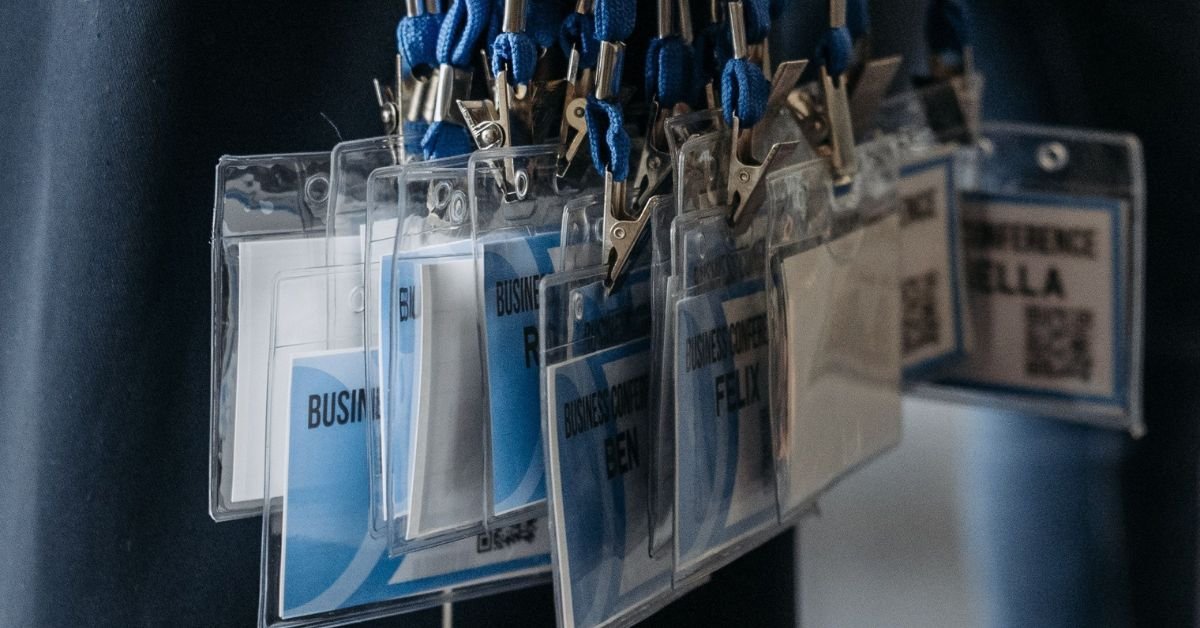
Seven Corporate Event Photo Sharing Tools to Consider in 2026
1. Dearest Events
Dearest took the QR code, no-download flow behind its wedding galleries and built a corporate version around it. Each event gets a private code and an upload link that opens right in the attendee's browser.
Scan from a badge, a sign, or the printed program, and you're uploading. No app, no account, no password. The Corporate Moments Collection is made for branded rooms, so the upload page and gallery wear your event's identity start to finish.
Facial recognition runs under the gallery search, so an exec or speaker finds their own shots in seconds. The window opens before the event and stays open up to three months after, which is how you catch the candids people always send late.
A downloadable slideshow set to music makes the recap email almost write itself. Prints, canvas, and keepsakes order straight from the gallery, which is handy for a VIP send-off or a speaker gift.
Billing is per event, not per seat, which matches how most teams budget a single activation. See Dearest Events for corporate events, or browse the full range of Dearest packages.
2. Fotify
Fotify packs in the most features of the bunch. Photo sharing sits next to AI moderation, RSVP management, custom data forms, and live streaming to the event displays.
One platform across several jobs has obvious appeal. Just know that when the gallery is the headline act, a more focused tool usually feels sharper at it.
3. GuestPix
GuestPix is a tidy, browser-based QR platform with a corporate finish. Attendees scan, drop in photos and video, and it all lands in a branded gallery.
It's a natural fit for teams that want a clean, branded gallery without committing to an annual platform. Pricing is one-time per event, with the upload window and features scaling by package tier.
4. Kululu
Kululu shows up with the corporate resume already filled in. More than 52,000 events, with names like Netflix, Dior, and Nike on the list, which tends to smooth the path through security and procurement.
Moderation and data capture are where it's strongest. AI filtering plus role-based pre-approval suit any event where uploads clear review first, and the attendee-data export keeps the gallery earning its keep long after the room empties.
5. Rompolo
Rompolo lives on the live feed. Uploads hit the screen within seconds, which gives a keynote, a coffee break, or a reception a shared beat to react to.
No app, no sign-up, easy for everyone. Take away the screen, or the moment that screen is meant to create, and most of what makes Rompolo special sits idle.
6. PixelParty
PixelParty points straight at the corporate market. Branded galleries for conferences, activations, and team events, with attendees scanning a unique code into an album that keeps the company's look throughout.
It nails the core corporate features without padding the spec sheet. For a team that wants a branded experience and no bill for tools they'll never touch, that focus is the selling point.
7. GuestCam
GuestCam's calling card is MagicFind. Snap a selfie and it surfaces every frame you appear in across the gallery.
That's a real gift at events built on professional photography, where the goal is making sure people leave with their photos. The browser upload keeps it friendly for any crowd, and it scales fine to a mid-sized corporate event.

How to Choose the Right Platform for Your Event
Name the job the gallery is there to do, and the shortlist writes itself.
When the photo experience is part of the show at a reception or activation, go for strong branded gallery design. Dearest and PixelParty both sit there. Need uploads on the room's screens in real time instead? That's Rompolo's whole reason for being.
When the point is post-event marketing, weight your decision toward data capture and clean exports. Kululu and Fotify handle that comfortably. And for an event built on professional photography, GuestCam's MagicFind pays for itself.
Two things stay true no matter the event. A no-app upload keeps participation high, because nobody installs software for a single afternoon, and a clear moderation setup keeps the team breathing easy in front of a live audience.
Frequently Asked Questions
What is a good photo sharing app for corporate events?
It comes down to the event. For a branded, premium feel where the gallery is part of the attendee journey, Dearest Events gives you a no-download flow with full branding, facial recognition, and per-event pricing that suits a corporate budget.
Need heavier moderation or data capture? Kululu has the enterprise track record. Built around a live feed? Rompolo was made for it.
Do corporate event photo sharing apps require attendees to download anything?
Mostly, no. Dearest Events, GuestPix, Kululu, Rompolo, and most of this list run on a QR code and the browser: scan with the camera, tap the link, upload. There's no app or account in the way, and the holdouts that still demand a download tend to see fewer people join in.
How can a team keep inappropriate photos out of the gallery?
Choose a platform with moderation baked in. You've got two options: AI filtering that flags off-brand uploads on its own, and pre-approval queues where a reviewer clears each photo before it goes public. Kululu and Fotify both do this, and a live photo wall is exactly where pre-approval earns its place. Dearest, without a live feed, is the best way to moderate inappropriate content. The host has the first look and can hide any photos they don’t want public.
Can a corporate event photo sharing app collect attendee data?
Yes. Attach a custom form to the upload and you can collect names, emails, company, and a short survey answer right alongside the photos. Kululu and Fotify both support it, and the export drops cleanly into a CRM for follow-up.
How much do corporate event photo sharing apps usually cost?
There are two pricing camps. Some platforms, Dearest Events among them, sell per-event packages sized to one event's budget. Others run monthly or annual subscriptions that scale with team size and event count, so a quarter with one or two big events usually favors per-event, while a year packed with events can tip toward a subscription.
Can the same platform handle a corporate event and a private event?
Yes. A few, Dearest Events included, run consumer and corporate packages on the same underlying tech. Whoever ran it for a wedding or a family party can stand up a corporate gallery with almost no learning curve, then add branding, moderation, and data capture on top.
A Photo Experience Worth Keeping
The gallery joins the brand the moment a QR code lands on a name badge. A good platform makes that moment feel polished for attendees and leaves the team with something worth passing around afterward.
For a polished, no-download, branded photo experience with the depth to carry real follow-up, Dearest Events is a strong place to start.